Automate Your Whatnot Prints & Engage with Interactive Wheels
WhatnotAutoPrint streamlines your shipping workflow and includes a powerful interactive wheel system. Print labels automatically, run engaging giveaways with our Givie system, save time, and focus on what matters most. Configured for Phomemo and Brother printers with support for multiple label sizes (30mm×20mm, 0.7"×2.1", 2.4"×1.1") and customizable options.
✓ Compatible with Windows and Mac
How It Works
See WhatnotAutoPrint in action - from the desktop application to printed labels on your items
Desktop Application
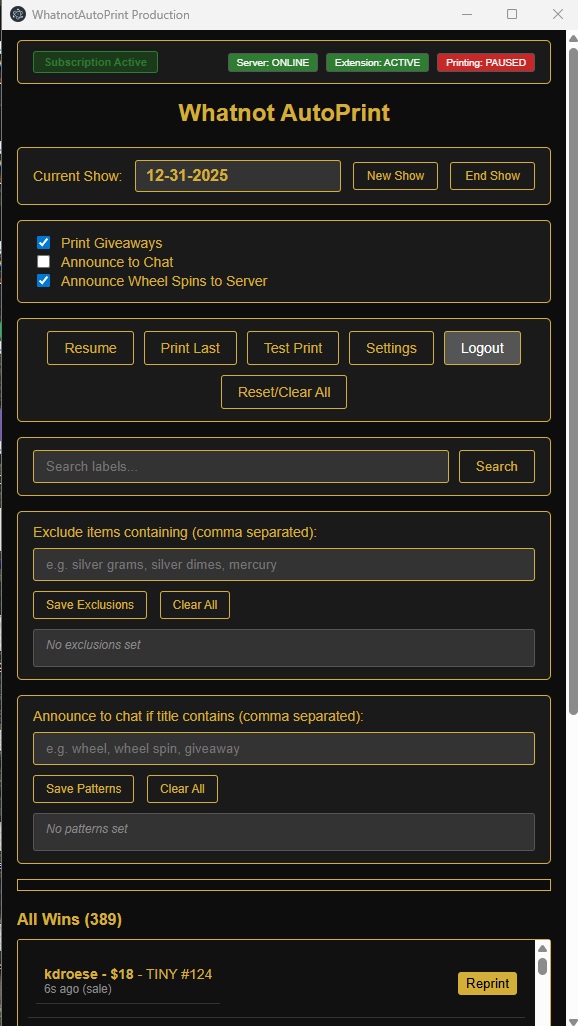
The desktop application manages your orders and communicates with your Phomemo or Brother printer to automatically print shipping labels in various sizes (30mm×20mm, 0.7"×2.1", 2.4"×1.1").
Chrome Extension
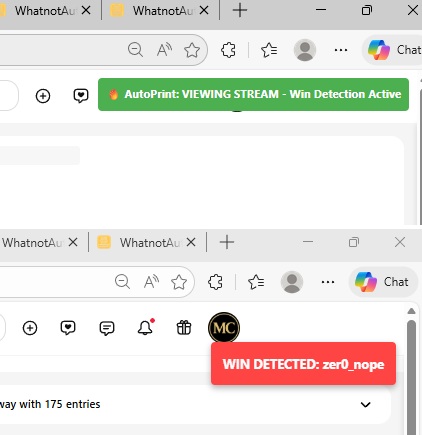
The browser extension automatically detects auction wins on Whatnot.com and sends them to the desktop application for printing.
Printer Setup
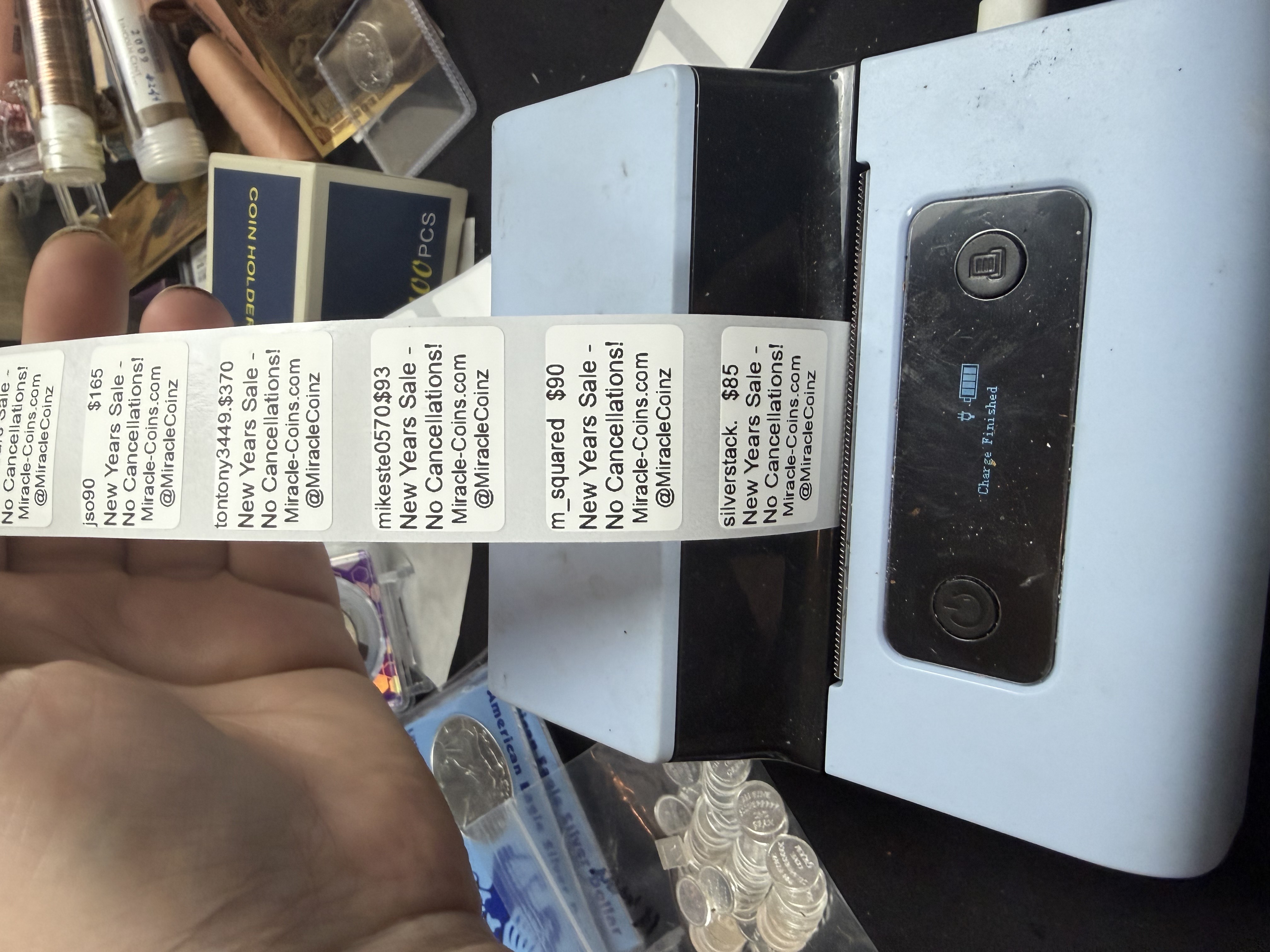
Configured for Phomemo and Brother printers with pre-configured support for 30mm×20mm, 0.7"×2.1", and 2.4"×1.1" label sizes. Additional label sizes can be customized as needed.
Ready to Ship
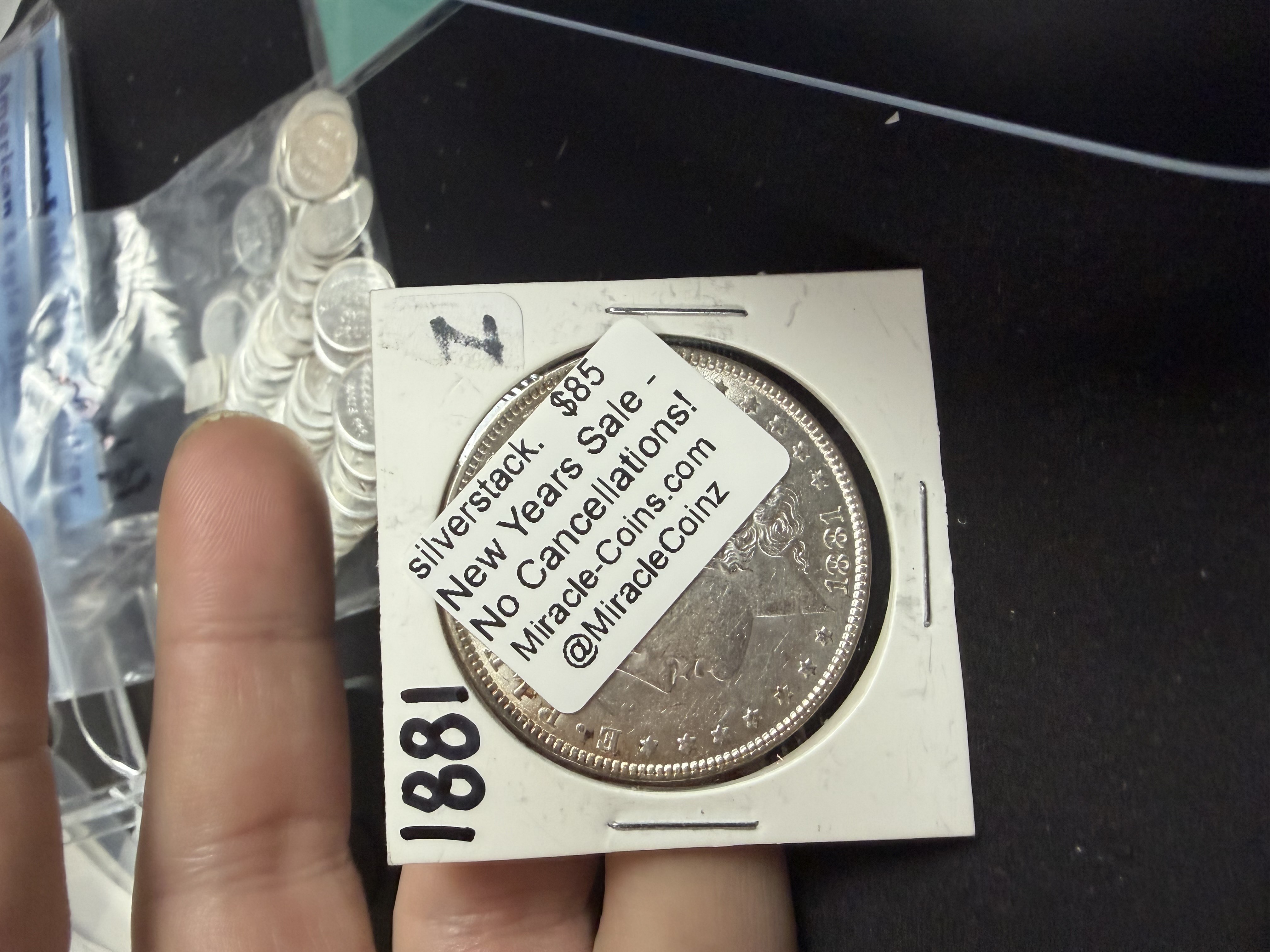
Labels are automatically printed and ready to apply to your items. Streamline your shipping process and save time.
🎨 Powerful Features
WhatnotAutoPrint includes advanced features to customize your labels and track your inventory with ease.
📋 Label Presets
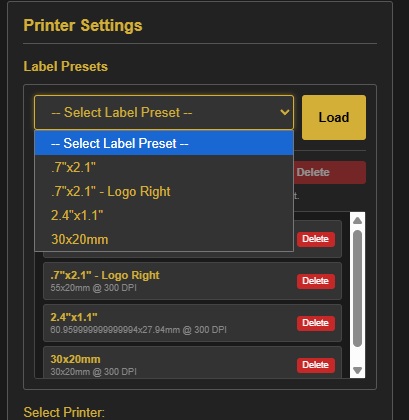
Create and save custom label presets for different product types. Quickly switch between presets to streamline your labeling workflow.
🎨 Logo Design
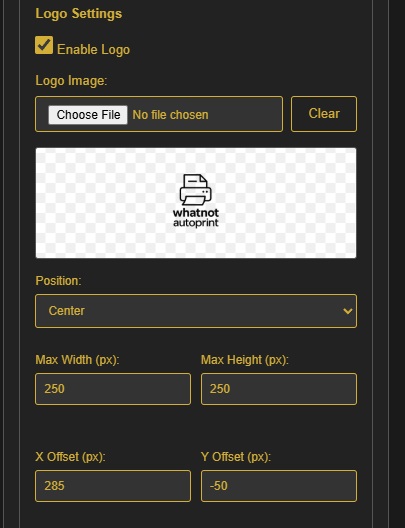
Add your custom logo to labels for professional branding. Upload your logo once and use it across all your labels.
💰 Silver Price Tracker
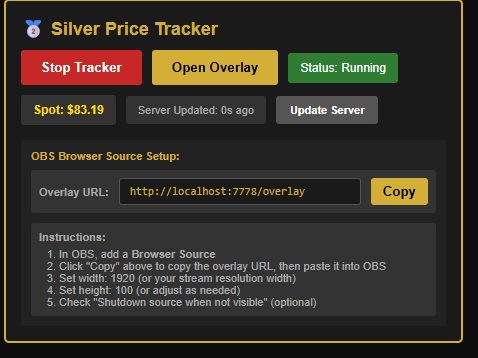
Track silver prices in real-time and automatically include current market values on your labels. Perfect for precious metals sellers.
📏 Multiple Label Sizes
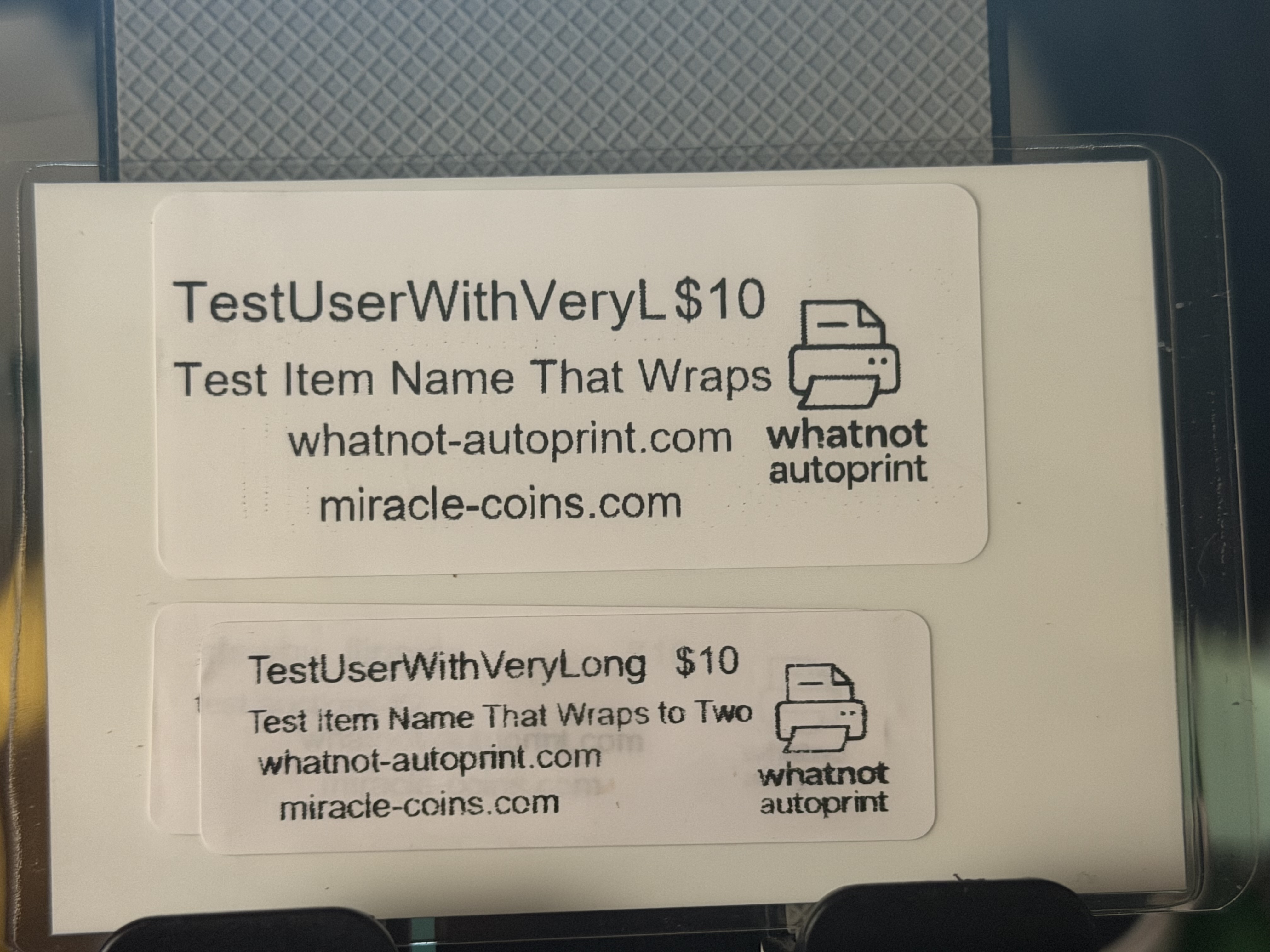
Support for multiple label sizes including larger formats. Choose the perfect size for your products, from small shipping labels to larger product labels.
🎡 Interactive Wheel System
Engage your audience with an interactive wheel system that automatically detects wheel spins and can integrate with our exclusive Givie giveaway system for prize management.
Main Wheel Window

The main wheel interface provides a visual representation of your wheel with all segments and prizes.
Auto Wheel Detection

Automatically detects and interacts with the wheel server to track spins in real-time.
Wheel Spin Announcement

Automatically announces wheel spins to your chat with winner information.
Manual Spin Button

Manual control button to trigger wheel spins when needed.
Wheel GUI Overview

Complete overview of how the wheel system works in the desktop application.
🎁 Givie Giveaway System
The Givie system is a powerful giveaway game that integrates seamlessly with the wheel system. Here's how it works:
Features:
- ✅ Presence Tracking: Mark viewers as present or not present during the giveaway
- ✅ Tiered Prizes: Present viewers get better prizes than those not present
- ✅ First Come Rewards: The first 1-10 people (depending on prize count) receive bigger prizes
- ✅ Name Collection: Easily collect and manage all participant names
How It Works:
- Start a Givie session and collect participant names
- Mark viewers as present or not present during the giveaway
- First 1-10 participants get premium prizes
- Present viewers receive better prizes than absent ones
- Seamlessly integrates with the wheel for visual selection


Why WhatnotAutoPrint?
Lightning Fast
Print labels automatically as orders come in. No manual clicking required.
Interactive Wheel System
Engage your audience with automatic wheel detection and our exclusive Givie giveaway system with presence tracking.
Secure & Reliable
Built on enterprise-grade infrastructure with secure payment processing.
Affordable Pricing
Simple monthly subscription. No hidden fees, cancel anytime.